Everything an operator needs on one screen.
The live picture, who operates each contact, where it has been, and the source behind every claim — in a MapLibre dashboard and a terminal console over the same data.
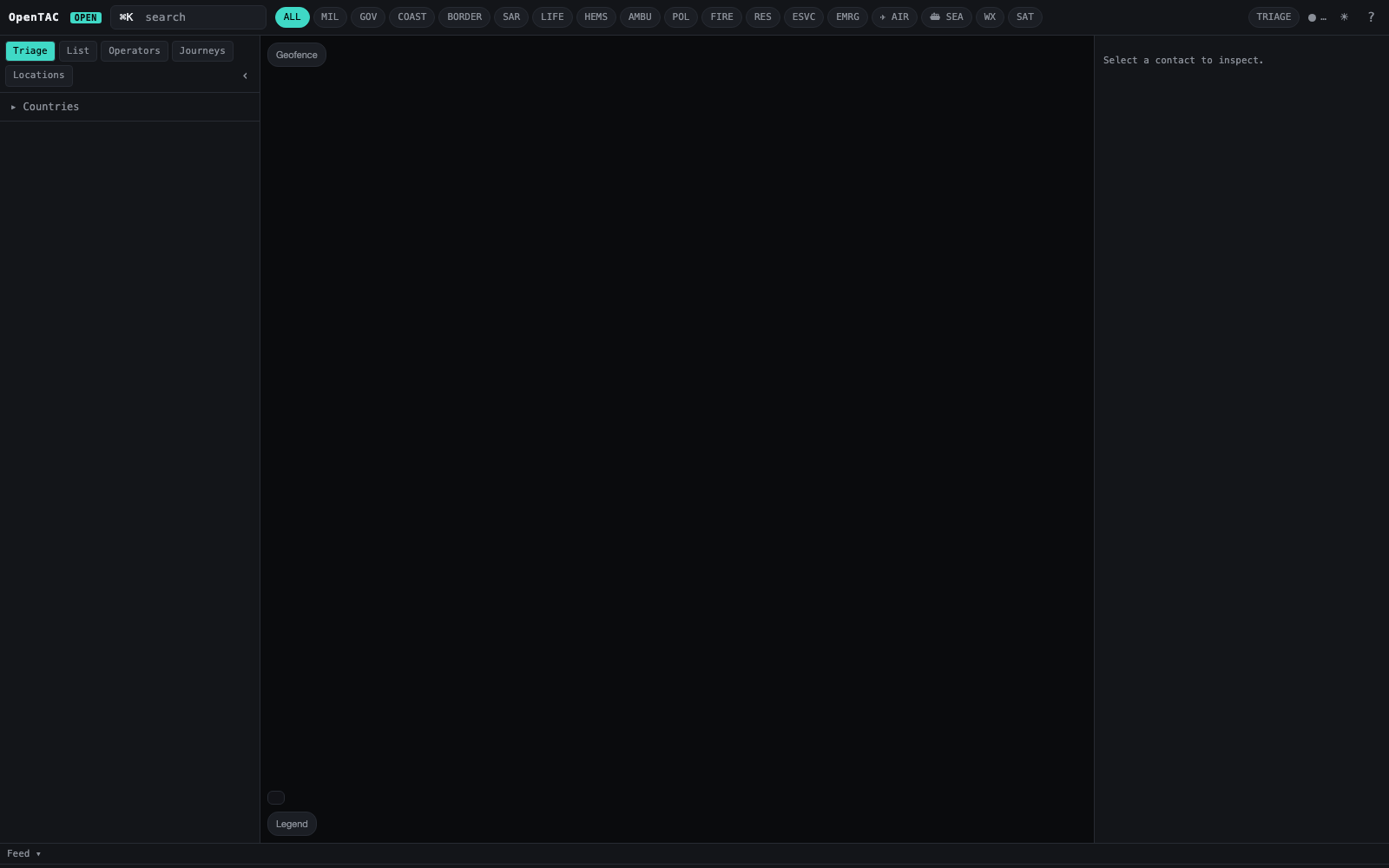
The live picture
Every state aircraft and vessel in range on one map, updating in real time. Capture-all by default; emergency squawks, AIS distress, SAR search patterns and lifeboat launches surface the instant they happen.
The known-assets trail
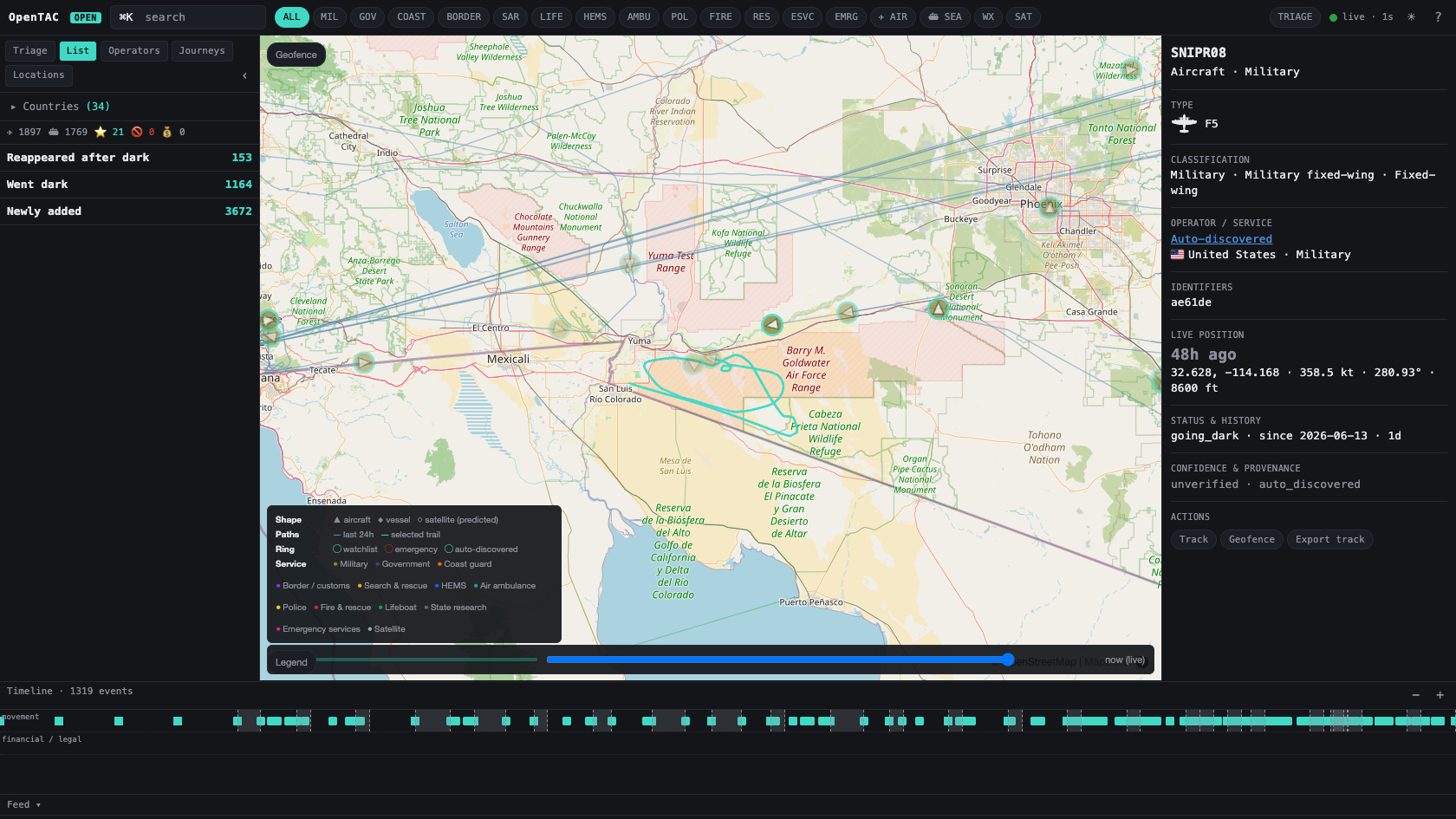
Click any contact for operator, unit, base and role from a curated, sourced watchlist. Newcomers are auto-classified into the taxonomy and flagged for promotion. The inspector shows the full major → subcategory → platform hierarchy.
The movement history
The live picture is full-fidelity; the local archive is thinned so a busy feed stays searchable. Journeys, current known locations, and dark-span detection read back from what was kept — replay interpolates only between fixes the archive actually holds.
Provenance behind every claim
Confidence is a first-class field; every operator/unit/role carries its source. Unknowns are left blank. A gap in a track is shown as a gap.
The monthly identity ingest
A built-in cross-reference pipeline keeps the identity picture current from ~26 free public datasets — recording each source's licence on every row, never overwriting human-curated data, and emitting licence-clean exports you can safely republish.
Time, zone, and playback — on one map.
When the picture is too wide, narrow it to a place and a window: who was active in the last hour, who crossed a zone-of-interest, and where every in-zone contact was at a chosen moment — without inventing a position the archive never held.
Last hour by default
The map seeds only contacts active inside your chosen span (5m–24h, default 1h). A window-end picker anchors any 24h investigation block; ambient paths reload for the same window.
Zones of interest
Draw circular zones (≥1 nm — no residence-sized areas). The left-nav list fast-switches; roster, markers and paths filter to assets with at least one fix inside the zone during the active window.
Zone/time replay
Step a virtual clock across the window at 1×/2×/5×/10×. Replay interpolates between sparse archive fixes; a dark span stays a dark span — never papered over.
CSV asset upload
Upload a spreadsheet from the map toolbar. Rows reconcile as manual_upload; human-curated watchlist entries always win. Assets only — not positions.
The gap is still the story.
Investigator tools read the same thinned positions archive the movement engine uses. The live bus and WebSocket stay full-fidelity; replay fills only the space between fixes that passed the deadband — it never fabricates a contact where none was recorded.
- +Default focus — last-hour-active map on load, not every asset ever seen.
- +Zone + time — filter roster, markers and ambient paths together.
- +Curated wins — CSV import enriches the spine; it never overwrites curated rows.
One read-model, three ways in.
MapLibre console
The map, roster, inspector, timeline, zones of interest, timeframe controls, zone/time playback, CSV import, weather and satellite overlays — colour-blind-safe encoding, dark / light themes.
Terminal console
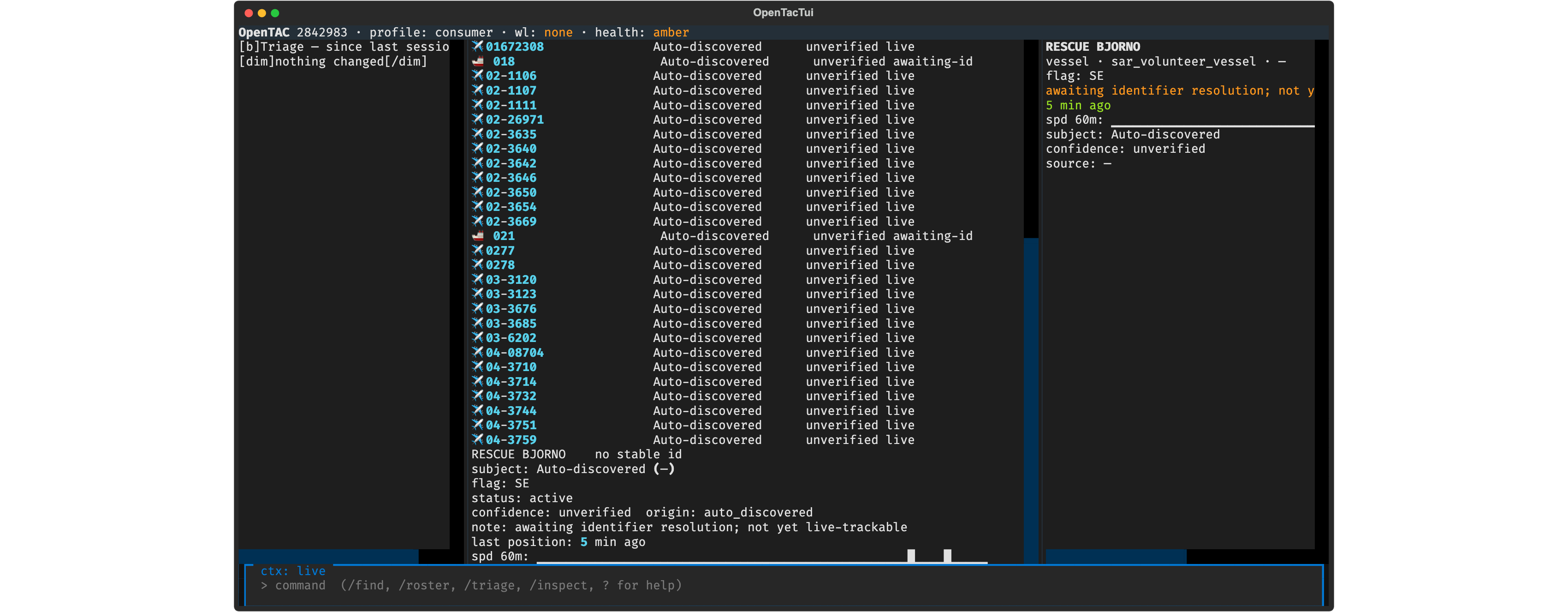
A full Textual TUI over SSH for headless boxes — roster, search, inspect and control without a browser.
JSON / WebSocket
Roster, positions, journeys, taxonomy and live updates over a documented local API — script it, pipe it, build on it.
Geofence & new-type
Geofence enter/exit, going-dark, and first-sighting-of-a-new-type notifications by ntfy or email.
Click a contact, get its classification and provenance.
The inspector resolves any contact into the taxonomy — major category, subcategory and platform — alongside its type, identifiers, live position and sourced operator detail.
The same picture, in a TUI over SSH.
For headless boxes and low-bandwidth links, a full Textual operator console — triage on attach, roster, search, inspect — over the same read-models as the map. No browser required.
Run the whole thing on your own box.
Loopback-bound, MIT-licensed, zero telemetry.